
HiBean v1.5.2: AI Review, Community Interaction, and Temperature Channel Upgrades
This release turns AI roast review into a more complete post-roast workflow, expands community interaction and notifications, and improves image browsing. On the roasting side, Arc / Arc Pro temperature channel mapping gives compatible setups more control over BT / ET sources, while device discovery, connection handling, and device compatibility continue to improve.
Highlights
- More complete AI review: Create review jobs from roast logs, add flavor feedback, read dynamic reports, and save AI suggestions into profile notes.
- Better community interaction: Comments, replies, likes, share notifications, notification settings, and image attachments are now more complete.
- More flexible temperature sources: Arc / Arc Pro can act as auxiliary temperature sources and, in compatible setups, replace the main BT / ET channels.
- More stable control and connection flows: Quick Control, BLE / SPP error handling, discovery options, and device compatibility have been improved.
AI Roast Review
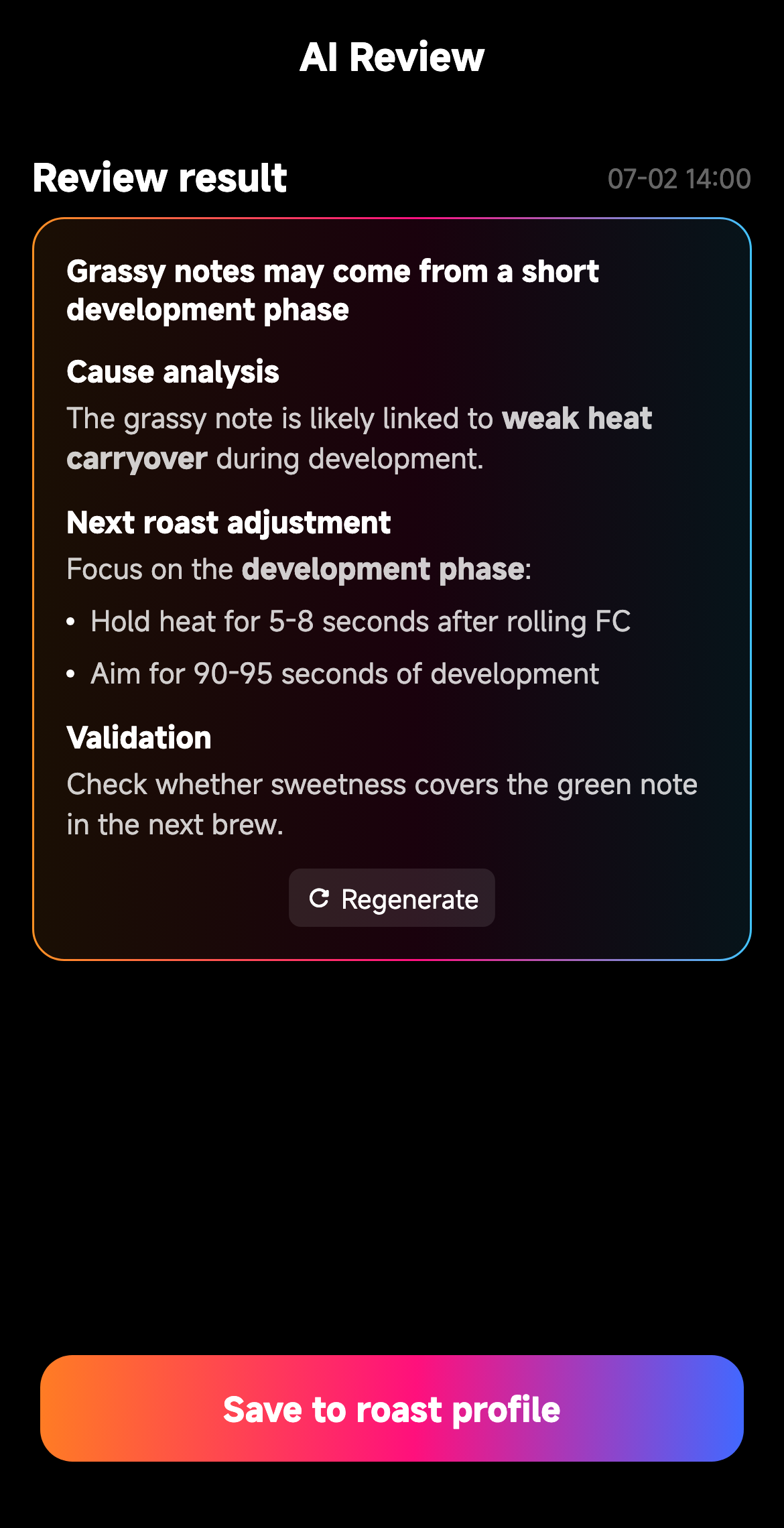
- AI review now uses a job-based workflow and can restore an active review job for the current roast log.
- Before generating a review, you can choose not tasted, no obvious defect, or specific flavor issues with extra notes.
- Review results support dynamic sections and Markdown content, so the report can evolve over time.
- AI suggestions can be saved into an existing compatible roast profile or used to create a new profile from the current roast log.
- The roast log detail entry card now shows existing result previews and monthly remaining quota.
Community Comments, Notifications, and Images
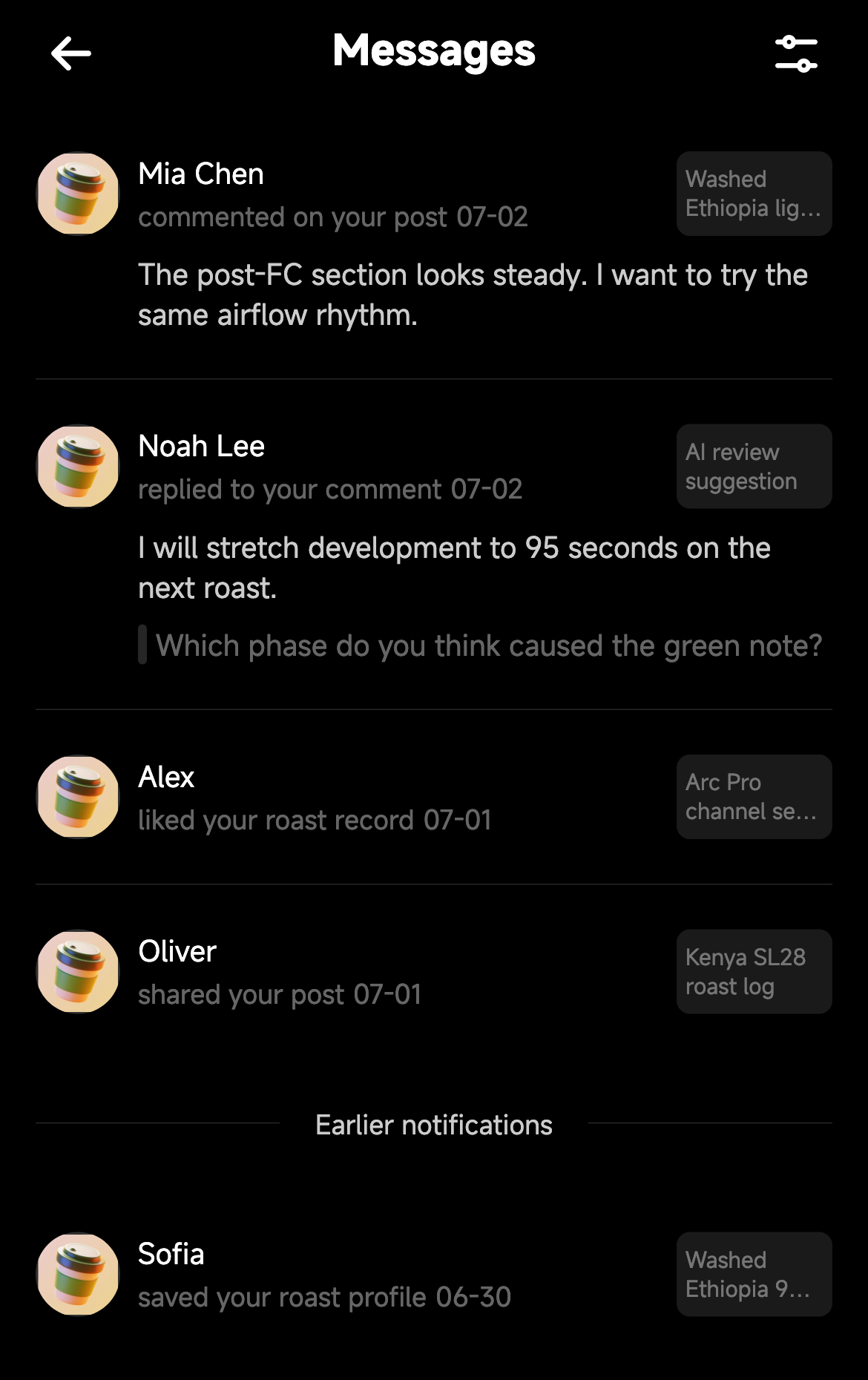
- Post detail pages now support comments, replies, reply expansion, comment likes, deletion, and reporting.
- A new notification center collects system and community interaction notifications, with links back to the related post when available.
- Notification settings can independently control comment / reply, like, post share, and profile-save push reminders.
- Mobile notification permission and open-routing flows have been improved for timelier interaction reminders.
- Community post cards and detail pages support image attachment thumbnails, previews, full-screen viewing, and more stable remote image loading.
Roast Temperature Sources and Control
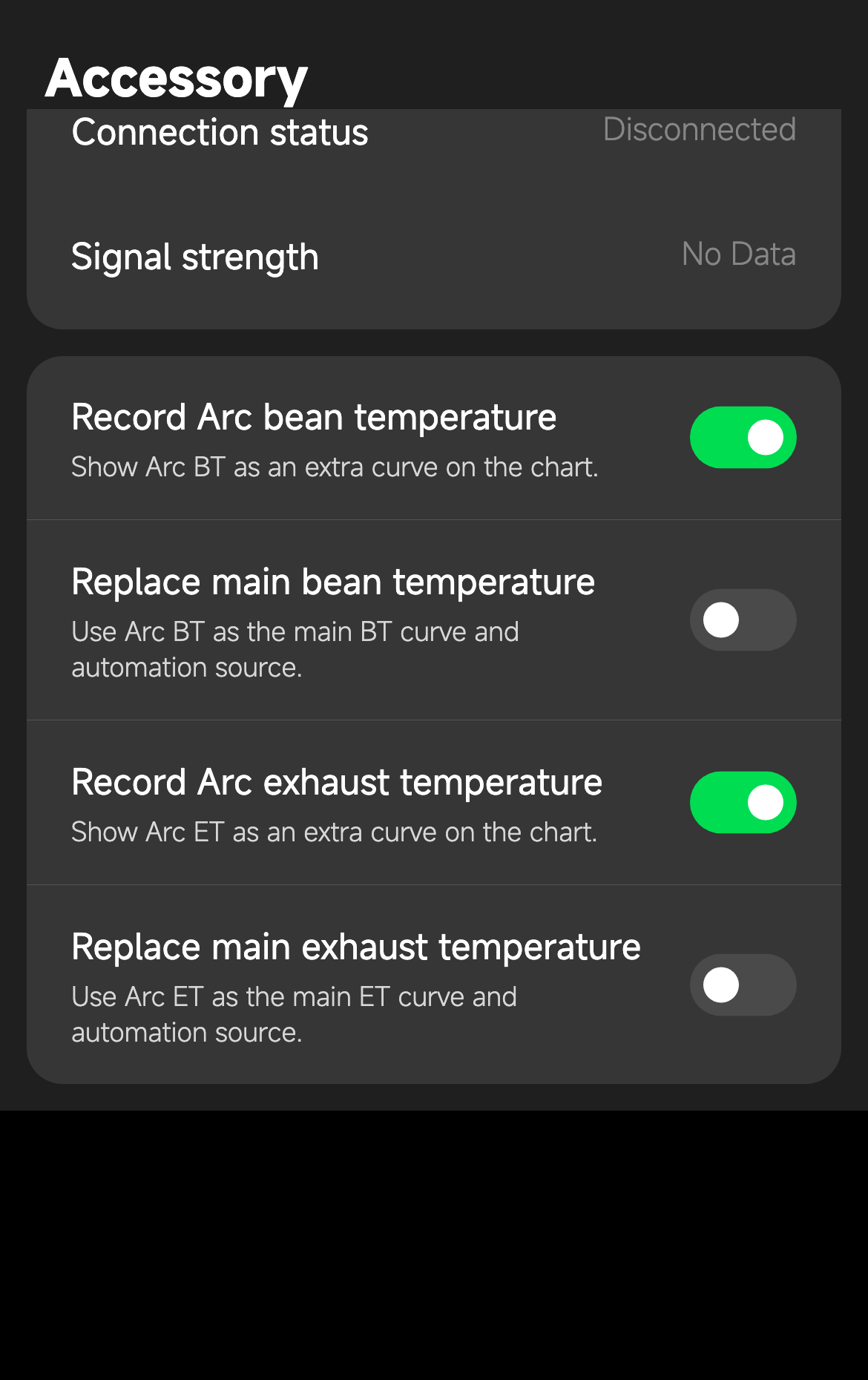
- Arc / Arc Pro can now be selected as auxiliary temperature sources and can record Arc BT / Arc ET as additional channels.
- In compatible main-roaster setups, Arc BT can replace main BT, and Arc Pro ET can replace main ET. Original device channels remain available as manually visible hidden curves.
- The roast preparation page remembers temperature channel mapping per main roaster and Arc combination.
- Quick Control target-temperature mode is more consistent and reduces command conflicts on selected devices.
- Control output values and runtime logs are clearer, making it easier to review what commands were actually sent.
- Temperature wording now uses "ET / Wind Temperature" where needed to reduce ambiguity across device families.
Device Connection and Stability
- Discovery entries now expose clearer platform-specific connection options, and BLE scan errors are easier to understand and retry.
- Device saving handles cloud sync failures more gracefully, so temporary remote failures do not unnecessarily block local device setup.
- Chromebook / ChromeOS compatibility has been improved.
- Selected startup, image loading, recording, disconnection recovery, and TC4 refresh issues were fixed or contained to improve day-to-day stability.